Connecteam calendar sync setup: the Expert plan, an API key and two minutes
I get asked how to hook Connecteam up to VenueWiki more than any other roster app, so here it is in one place. Your company does a short setup once, then every crew member switches it on for themselves and their shifts flow into Google Calendar or Outlook.
For how it compares with Connecteam's own calendar link, read the Connecteam calendar sync guide.
What your company needs
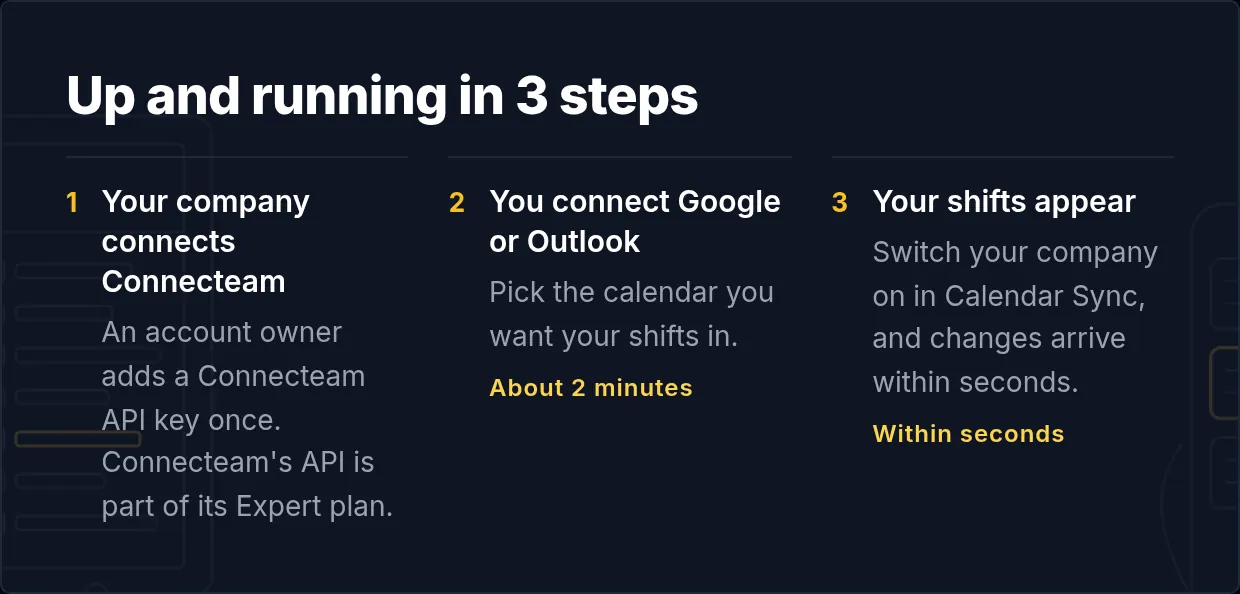
Connecteam's API is part of its Expert plan, so the company needs to be on Expert. An account owner then creates an API key. That's the only thing VenueWiki needs from Connecteam.
Your company does this once
- In Connecteam, an account owner creates an API key: Admin icon, then Integrations, then API Key.
- Paste the key into the company's VenueWiki manage page. VenueWiki finds the scheduler itself. If the account has more than one, the admin picks which.
VenueWiki also registers its own webhook with Connecteam, so Connecteam tells VenueWiki when a shift is created, changed or deleted, and the change comes straight through. Connecteam's free trial doesn't allow webhooks, so a trial account runs on VenueWiki's hourly check until it's upgraded. The hourly check stays on as a backup either way.
Connecting is free for the company.
You do this
- Join VenueWiki. Your first year is free.
- Turn on Calendar Sync at venuewiki.net/calendar-sync. The first 90 days are free, no card needed.
- Connect Google Calendar or Outlook. Two clicks, done.
- Your company appears on your calendar sync page. Switch it on. Make sure the email or mobile number on your VenueWiki account is the one Connecteam has for you, because that's how your shifts find you.
What happens next
Your Connecteam shifts land in your calendar, in your company's colour if you turn colours on. Changes update the event and cancelled shifts disappear. Anything you're busy with in your own calendar shows up in Connecteam as unavailability, with the time and a fixed note, "Synced from VenueWiki Calendar Sync", and never the event title.
The first time you switch it on, VenueWiki fills in the last 30 days and everything ahead. Connecteam caps how fast other apps can write into it, so on a small plan a busy calendar can take a day or two to fill in. VenueWiki queues it and keeps going until it's done.
What it costs
Free for the company. Each crew member who syncs needs the AAA Membership, $59 a year with Calendar Sync, VenueTimer, crew membership and member benefits, or the free 90 day trial, no card needed.
Swipe, tap a bottle on the shelf, or use the arrow keys to move along the shelf.