How to sync Deputy shifts to Google Calendar, both ways
If your company rosters you in Deputy and you live in Google Calendar, you've probably tried the calendar link in your Deputy profile and wondered why it's always behind. Here's how I set it up properly with VenueWiki's Calendar Sync, in about two minutes, so your shifts land in your calendar and Deputy can see when you're busy.
For the full comparison and the fine print, read the Deputy calendar sync guide.
Why Deputy's own feed falls behind
Deputy gives you a calendar link to add to Google Calendar or Outlook. It's a feed, not a sync. Your calendar fetches it on its own schedule, and Deputy's help centre puts that at every 8 to 24 hours for Google Calendar. It's also one way: Deputy never sees anything in your own calendar, so you still have to mark yourself unavailable by hand.
What Calendar Sync does instead
VenueWiki checks Deputy about once an hour and writes your shifts into Google Calendar or Outlook itself. A changed call time updates the event, and a cancelled shift disappears instead of hanging around. Press Re-sync and it checks straight away.
It goes the other way too. Block out time in your own calendar, a holiday, the dentist, another gig, and Deputy shows you as unavailable. Deputy gets the dates and a fixed note, "Synced from VenueWiki Calendar Sync", and never the name of the event.
Setting it up
- Join VenueWiki. Your first year is free.
- Turn on Calendar Sync at venuewiki.net/calendar-sync. It comes with the AAA Membership, and the first 90 days are free, no card needed.
- Connect Google Calendar or Outlook. Two clicks, done.
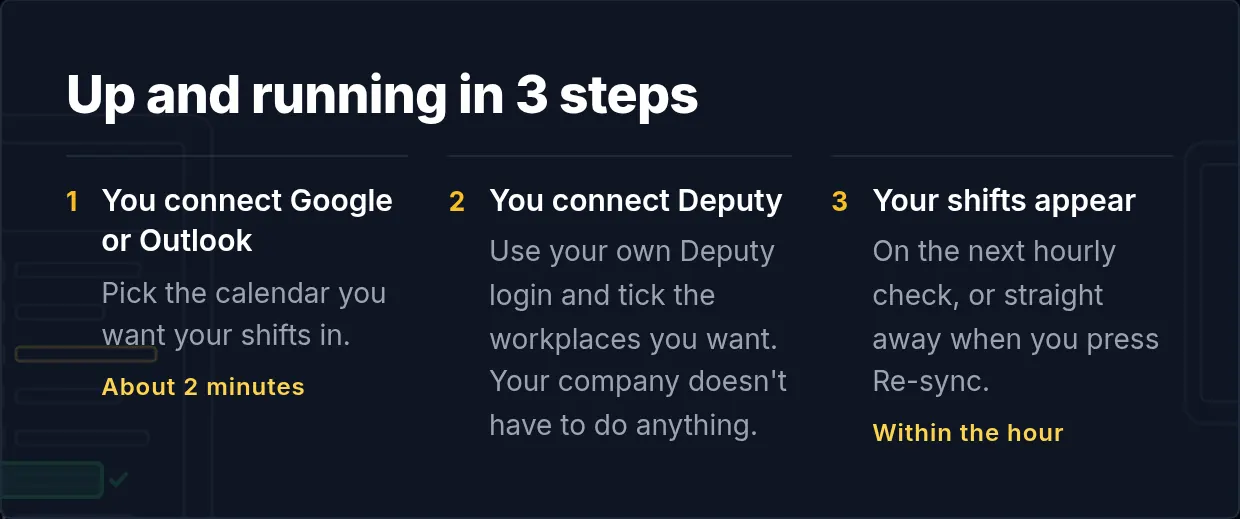
- Connect Deputy with your own Deputy login and tick the workplaces you want. Your shifts arrive on the next hourly check, or straight away if you press Re-sync.
It works from your phone's browser too.
A couple of extras
Turn on a colour per company if Deputy is one of several rosters you're on. Tag a personal event #me, or give it a colour you've excluded, and it won't mark you unavailable in Deputy. Switch on the bell next to the company and you'll get an email when a shift moves or disappears.
What it costs
Calendar Sync is part of the AAA Membership, $59 a year, which includes crew membership, VenueTimer and member benefits too. The first 90 days are free, no card needed.
Set it up once and stop checking the app before every shift.
Swipe, tap a bottle on the shelf, or use the arrow keys to move along the shelf.